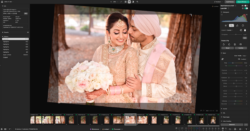
Though Lightroom is still an industry leader for processing large batches of raw files, other programs have been enticing users from the Adobe program for some time now. Whether it be improved speed, color handling, or a more advanced feature set they are seeking, growing numbers prefer other raw processing software. Another industry leader that is growing in popularity as an alternative, though originally from a more niche background, is Capture One. 
Capture One is a longstanding industry standard for tethered shooting and raw processing in the commercial world. Developed by Phase One, Capture One is tailored for the kind of high-end work one would do with a Phase One camera. But don’t let Capture One’s prestigious roots intimidate you if you’re a newer photographer. You don’t need to be shooting Lamborghinis or supermodels to make the most of Capture One. It combines many of the features that can be found in Lightroom with a more advanced set, and the faster navigability Lightroom users have been vocal about desiring.
Of course, if you want to make the switch, there will be a learning curve. Thankfully, Capture One is dedicated to expanding their YouTube library of instructional videos and have provided an hour-long webinar specifically to help would-be converts make the change. If you’ve been eyeing Capture One but weren’t sure where to begin, head to their website, grab your free 30-day, full-featured trial, and watch the webinar below. 
In the webinar, David Grover will take you right to the start of your Capture One adventures and walk you through the process of getting acquainted and working in the program while explaining everything along the way. Topics include workspaces, shortcuts, tools, features, and best practices, and new users will find the demonstrations digestible and actionable.
[Rewind:] Capture One Tips | How To Use ‘The Color Editor’
A final nudge to give it a go if you aren’t feeling up to investing in a new software license currently – though Capture One is available as an outright purchase, you can also subscribe for a bite-sized monthly payment of $20.